10. Get Gene set/network
Using the gene list we generated, we will now do a gene enrichment analysis to know if there are other genes previously reported that are associated with our QTL of interest.
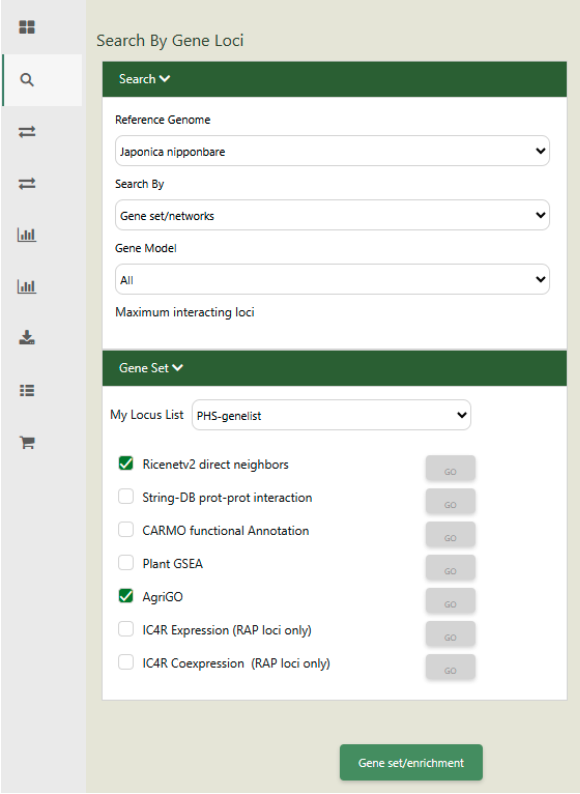
To do this, go to “Search”-> “Gene Loci.
Set as Reference genome: “Japonica Nipponbare”.
Set Search to: “Gene set/networks”.
Set Gene Models to: “All”.
Set the My Locus List to: “PHS-genelist”.
Tick “Ricenetv2 direct neighbors” and “AgriGO”.
Click on “Gene set/enrichment”.
Unfortunately, this query will not return any result. Click the “Go” button beside the Ricenet option and it will give us this message:
“No ROC analysis, because the valid query set size < 4.”
In this case, our query size is very small. You can explore nearby regions and see if there are existing gene networks reported by increasing the upper and lower bound positions.